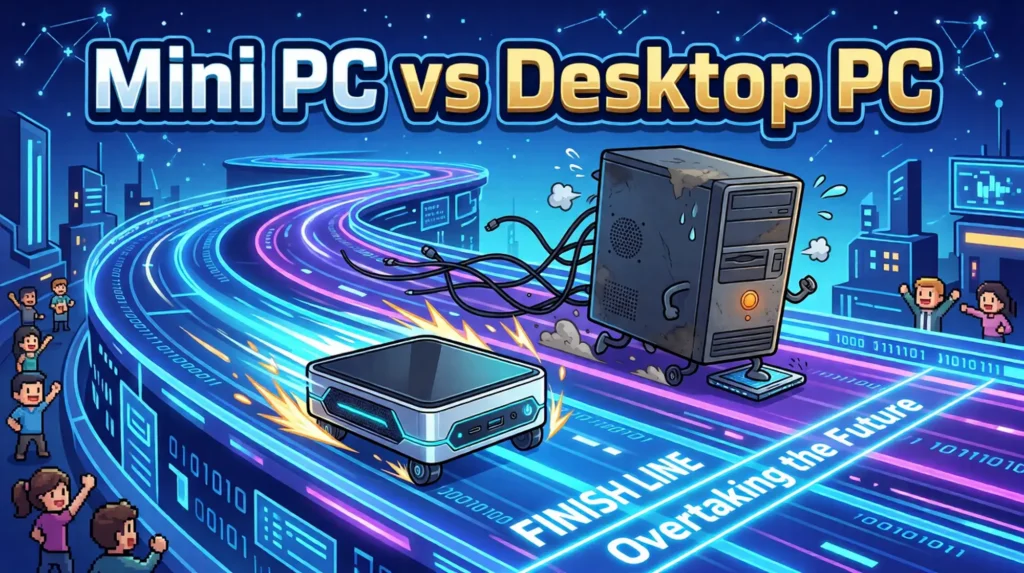
Mini PCs have moved well beyond digital signage boxes and low-powered office terminals. Modern models can now handle serious productivity, home-server workloads, content creation, gaming, and even local artificial intelligence—but replacing a traditional desktop tower still comes with important trade-offs.
For years, choosing a small-form-factor computer usually meant accepting noticeably lower performance. Buyers could have a large desktop tower with replaceable components and a powerful graphics card, or they could settle for a compact machine built around modest mobile hardware.
That divide has narrowed considerably.
Advances in laptop processors, integrated graphics, memory bandwidth, cooling, and power efficiency have transformed the mini PC into a credible desktop replacement for a much wider range of users. Some models are inexpensive office machines small enough to mount behind a monitor. Others are compact workstations equipped for video editing, software development, virtualization, local AI, or gaming.
The important question is no longer whether mini PCs are capable computers. It is whether their particular balance of size, performance, price, noise, and upgradeability fits the work you intend to do.
How the Mini PC Became a Serious Computer
Intel’s Next Unit of Computing initiative helped establish the modern mini-PC category. Introduced in 2013, the NUC popularized a compact motherboard and chassis format that could deliver a complete Windows computer in a device small enough to hold in one hand.
Early NUC systems were generally aimed at office work, embedded applications, home theaters, and light computing. Their appeal came from size and efficiency rather than raw performance.
Intel stopped directly investing in the NUC system business in 2023 and transferred responsibility for manufacturing, sales, support, and future NUC development to ASUS. ASUS has since continued the product family with business systems, professional mini PCs, and gaming-oriented ROG NUC models. Intel described the original agreement as a transition of existing and future NUC system development to ASUS.
At the same time, manufacturers including Beelink, Minisforum, Geekom, GMKtec, and others expanded the category with aggressively priced systems built around high-performance laptop processors. That competition helped turn the mini PC from a specialized form factor into a broad consumer market.
Mobile Processors Changed the Equation
The modern mini-PC boom is largely built on processors originally designed for premium laptops.
Mobile chips must deliver useful performance while operating within tight power and thermal limits. When those same processors are placed inside a slightly larger enclosure, connected to continuous wall power, and given more capable cooling than a thin laptop can provide, they can perform remarkably well.
Modern system-on-chip designs also integrate more of the computer into a single package. CPU cores, graphics, media engines, memory controllers, display outputs, security features, and increasingly neural processing units can all be provided by one highly integrated processor.
That reduces the motherboard space, cooling hardware, and power delivery required to build a capable computer.
AMD Raised Expectations for Integrated Graphics
AMD has become particularly influential in enthusiast mini PCs because of the graphics performance built into many Ryzen mobile processors.
Systems based on processors such as the Ryzen 7 7840HS, Ryzen 9 7940HS, and related platforms pair Zen CPU cores with Radeon 780M integrated graphics. These machines can comfortably handle desktop productivity, media playback, emulation, and many competitive or less-demanding games at 1080p.
The Radeon 780M does not turn a small office computer into a replacement for a high-end gaming tower. Recent demanding games may require reduced detail settings, resolution scaling, or lower frame-rate expectations. However, it provides far more gaming capability than buyers historically expected from integrated graphics.
AMD has since pushed the concept further with Ryzen AI Max processors. These chips combine high core counts, substantially larger integrated Radeon graphics, and wide unified-memory configurations in compact systems. Products built around the Ryzen AI Max+ 395 can be configured with as much as 128GB of memory and are being positioned for local AI, development, rendering, and professional workloads as well as gaming.
That class of system is no longer an inexpensive desktop substitute. It is closer to a compact workstation—and its price often reflects that.
Intel Mini PCs Remain Strong in Business and Productivity
Intel remains deeply established in corporate, educational, embedded, and office deployments.
Modern Core Ultra processors use a hybrid design that combines performance cores and efficiency cores while adding Intel Arc integrated graphics and an on-chip neural processing unit. This arrangement allows the system to distribute light background work, demanding foreground applications, graphics tasks, and supported AI workloads across specialized parts of the processor.
Arc-based integrated graphics represent a substantial improvement over older Intel integrated solutions, particularly for media encoding, video playback, display support, and GPU-accelerated applications.
ASUS now carries the NUC name forward with products ranging from compact business systems to larger ROG NUC models containing discrete laptop-class graphics. The latter can provide genuine gaming performance, although they are larger, more expensive, and more power-hungry than the palm-sized machines traditionally associated with the NUC category.
The Mac Mini Remains the Benchmark for Compact Efficiency
Apple’s Mac mini is one of the clearest demonstrations of what a highly integrated desktop can accomplish.
Apple Silicon combines CPU cores, graphics, media engines, a Neural Engine, and unified memory within a tightly controlled hardware and software platform. The result is strong performance per watt, low idle power consumption, and generally restrained fan noise.
The current Mac mini family offers M4 and M4 Pro configurations. Apple lists options reaching a 14-core CPU, 20-core GPU, 48GB of unified memory, and up to 8TB of storage on the M4 Pro model. Apple’s technical specifications detail the available Mac mini configurations.
Even lower-tier models can handle office work, software development, music production, photography, and substantial video-editing workloads. Apple’s dedicated media engines are especially useful for supported video formats.
The main limitation is permanence. Memory and internal storage cannot be upgraded after purchase, so buyers must choose a configuration with enough capacity for the expected life of the machine. Apple’s storage upgrades can also become expensive compared with standard retail NVMe drives.
Mini PCs Are No Longer One Product Category
The phrase “mini PC” now covers several very different types of computer:
- Budget office boxes: Low-cost systems intended for web browsing, documents, point-of-sale use, remote work, and light media consumption.
- Business mini PCs: More durable and support-focused machines with stronger networking, remote-management features, multiple display outputs, and longer product availability.
- Enthusiast AMD systems: Compact PCs using powerful Ryzen mobile processors and capable Radeon integrated graphics.
- Compact gaming systems: Larger mini PCs containing discrete mobile GPUs and more substantial cooling systems.
- AI and professional workstations: Premium machines with large unified-memory pools, powerful integrated graphics, or workstation-class connectivity.
- Barebones systems: Units sold without memory, storage, or an operating system, allowing the buyer to select those components separately.
This range makes broad claims about mini-PC performance difficult. A $250 office box and a multi-thousand-dollar Ryzen AI workstation may share the same general label while offering completely different capabilities.
Who Should Consider a Mini PC?
Home Office and General Productivity
For web browsing, document editing, spreadsheets, email, video calls, accounting software, and other everyday tasks, a modern mini PC can be an excellent fit.
Many models can drive multiple high-resolution displays and provide enough USB connectivity for a complete desk setup. VESA mounting can place the machine behind a compatible monitor, although doing so may make the power button and front ports less accessible.
For this type of buyer, memory capacity and warranty support are often more important than maximum processor performance. A system with 16GB of RAM and a replaceable NVMe drive is a sensible baseline, while 32GB provides more headroom for heavier multitasking and longer ownership.
Home Labs and Small Servers
Mini PCs have become extremely popular for home labs because they combine low idle power with respectable CPU performance.
A compact system can run Proxmox, containers, virtual machines, Home Assistant, Pi-hole, network-management software, development environments, or a personal media server. Several inexpensive mini PCs can also be clustered together while consuming less space and electricity than conventional rack or tower servers.
Buyers should pay close attention to networking, memory limits, storage expansion, and virtualization support. Dual 2.5Gb Ethernet ports, multiple NVMe slots, replaceable memory, and reliable cooling can matter more than peak integrated-graphics performance in a server role.
For Plex or similar media servers, hardware video-encoding support should also be verified for the operating system and software being used.
Home Theater and Media Systems
A mini PC can serve as a flexible home-theater computer capable of web streaming, local media playback, game streaming, and retro emulation.
However, buyers should confirm support for the required HDMI standard, refresh rate, HDR format, audio output, and streaming-service copy protection. A machine capable of decoding 4K video is not automatically guaranteed to support every combination of 4K, HDR, high refresh rates, and protected commercial streaming content.
Content Creation
Modern mini PCs can perform surprisingly well in photo editing, music production, software compilation, and video work.
The right choice depends heavily on the application. Apple Silicon systems benefit from strong media engines and optimized creative software. AMD and Intel systems provide broader Windows and Linux compatibility and may allow replaceable memory and storage.
Long exports, large code compilations, and sustained rendering workloads also expose differences in cooling. A processor that performs well in a brief benchmark may slow down after several minutes if the chassis cannot dissipate heat consistently.
Light and Mainstream Gaming
Integrated-graphics mini PCs are now viable for esports games, indie titles, older releases, emulation, and selected modern games at adjusted settings.
Buyers should set realistic expectations. Radeon 780M-class graphics are capable for their size, but they remain dependent on system memory bandwidth and cannot match a current mid-range desktop graphics card.
Premium mini PCs with discrete mobile GPUs can provide much stronger performance at 1080p or 1440p. They also introduce higher prices, larger power supplies, more heat, and louder cooling—reducing some of the advantages associated with the form factor.
Local AI and Development
Local artificial intelligence has created a new role for compact computers.
Conventional mini PCs can run smaller language models, embedding systems, transcription tools, and lightweight image workloads. Their limits are usually memory capacity, memory bandwidth, GPU compatibility, and software support.
Ryzen AI Max systems are particularly interesting because their large unified-memory configurations can allocate far more memory to graphics and AI workloads than a typical integrated GPU. This can allow models to run locally that would not fit inside the dedicated memory of an ordinary consumer graphics card.
That does not automatically make them faster than a discrete Nvidia workstation. Software maturity, acceleration frameworks, model formats, and memory bandwidth remain critical. Buyers should choose based on the applications they actually intend to run rather than an advertised NPU performance figure alone.
The Trade-Offs Buyers Should Understand
Thermals and Sustained Performance
Small computers remain subject to the same thermal limits as every other PC.
A mini PC may allow its processor to boost aggressively during a short workload and then reduce clock speeds after heat builds inside the chassis. This does not necessarily mean the machine is defective; it reflects the balance chosen between size, performance, temperature, and noise.
Reviews that include sustained workloads are therefore more useful than isolated benchmark scores. Video rendering, code compilation, gaming sessions, and repeated benchmark loops reveal more about cooling quality than a brief single-pass test.
Fan Noise
Low power consumption does not always mean low noise.
Small fans must rotate faster to move the same amount of air as larger desktop fans. Some mini PCs remain nearly silent during office work but become clearly audible under gaming, rendering, or AI workloads.
Fan tuning also varies widely between manufacturers. Two systems using the same processor can behave very differently depending on the cooler, vent design, firmware, and configured power limits.
Limited CPU and GPU Upgrades
Most mini PCs use processors soldered directly to the motherboard. Their integrated graphics are part of the same package, and models with discrete GPUs generally use mobile hardware that cannot be replaced separately.
This means the core performance of the machine is fixed at purchase.
Some systems provide USB4, Thunderbolt, or OCuLink connectivity for an external graphics dock. That can extend gaming or compute performance, but it adds cost, cables, an external enclosure, and often a separate power supply. At that point, the setup may no longer be substantially cleaner or cheaper than a compact desktop.
Memory Is Not Always Upgradeable
Many x86 mini PCs still use replaceable DDR5 SODIMM modules, but this should never be assumed.
Higher-performance integrated processors increasingly use soldered LPDDR5X memory because it provides greater bandwidth and power efficiency. That bandwidth can be essential to integrated-graphics and AI performance, but the capacity cannot be expanded later.
Apple Silicon systems also use fixed unified memory. Buyers choosing any soldered-memory machine should purchase enough capacity for future software requirements rather than only the workload they have today.
Storage Expansion Varies
One or two replaceable M.2 NVMe slots are common, but entry-level units may include only one slot or use slower storage interfaces. Very small systems may also restrict SSD cooling, causing high-performance drives to throttle under sustained transfers.
Before purchasing, check the number and size of supported drives, PCIe generation, accessibility, and whether replacing the included SSD affects the warranty.
The External Power Brick
Promotional images often emphasize the small computer while leaving its external power supply outside the frame.
Entry-level mini PCs may use compact adapters, but performance-focused systems can require 120W, 180W, 240W, or larger supplies. A gaming mini PC’s adapter can approach the size of the computer itself.
The power brick can usually be hidden beneath a desk, but it should be considered when comparing total size and cable management.
Ports Can Be Inconsistent
Mini PCs frequently advertise an impressive number of ports, but the specifications behind those ports matter.
USB-C does not automatically mean USB4, Thunderbolt, DisplayPort output, high-speed charging, or external-GPU support. HDMI ports may support different maximum resolutions and refresh rates. Ethernet may range from 1Gb to 10Gb depending on the system.
Buyers should verify the exact capabilities of each port rather than relying on connector shape alone.
Warranty and Firmware Support
The rapid expansion of the mini-PC market has produced substantial variation in after-sales support.
Major vendors usually provide established warranty channels and longer firmware support, while smaller brands may offer better specifications for the money but less predictable service. Replacement parts, BIOS updates, driver packages, and return shipping can become important if the system develops a problem.
A low price is less compelling if the machine must be shipped internationally for warranty service or if firmware updates disappear shortly after launch.
Operating-System Licensing
Barebones mini PCs may ship without an operating system, while complete systems may include Windows. Buyers should confirm what is actually included and whether the Windows license is properly activated and transferable.
Linux compatibility can also vary. Wi-Fi adapters, fingerprint readers, audio hardware, sleep behavior, and NPUs may require newer kernels or vendor-specific support.
When a Desktop Tower Is Still the Better Choice
A mini PC is not a universal replacement for a conventional desktop.
A tower remains the better option when the workload requires:
- A high-performance desktop graphics card.
- Multiple PCIe expansion cards.
- Several internal hard drives or SSDs.
- Large amounts of replaceable memory.
- Quiet cooling during sustained heavy workloads.
- Component-level repair and replacement.
- Incremental upgrades over many years.
- Maximum gaming performance for the money.
Desktop components are often cheaper to replace individually. A failed power supply, cooling fan, graphics card, or motherboard does not necessarily require replacing the entire computer.
A tower can also begin as a modest machine and evolve over time. Most mini PCs must be purchased close to their final intended specification.
Mini PC or Tower: A Practical Buying Guide
Choose a mini PC when:
- Your workload is primarily office productivity, web use, media, coding, or light creative work.
- Desk space, portability, or low idle power matters.
- You want a compact home server or virtualization node.
- Integrated graphics are sufficient for your games and applications.
- You are comfortable replacing the entire system when its processor performance is no longer adequate.
Choose a traditional or compact tower when:
- You need a powerful or replaceable graphics card.
- You expect to upgrade the CPU, GPU, cooling, memory, or storage over time.
- You run heavy workloads for hours at a time.
- You need numerous internal drives, capture cards, networking cards, or other expansion devices.
- You prioritize repairability and long-term flexibility over minimum size.
What Specifications Matter Most?
When comparing mini PCs, focus on the complete system rather than the processor name alone.
- Memory: 16GB is appropriate for ordinary productivity, while 32GB is preferable for heavier multitasking, development, creative work, virtualization, and longer-term use.
- Memory configuration: Integrated graphics benefit significantly from high-bandwidth memory and properly configured dual-channel setups.
- Storage: A replaceable NVMe SSD and a second storage slot add useful flexibility.
- Cooling: Look for sustained-performance and noise testing, not only peak benchmark results.
- Networking: Consider Wi-Fi generation, Ethernet speed, and whether dual network ports are useful for server or firewall duties.
- Ports: Verify USB4, Thunderbolt, display support, refresh-rate limits, and power-delivery capabilities individually.
- Upgradeability: Confirm whether memory, storage, Wi-Fi, and cooling components are replaceable.
- Warranty: Examine service location, warranty duration, return policy, and firmware-update history.
- Total cost: Account for memory, storage, the operating system, an external GPU dock, and any adapters not included with a barebones unit.
Bottom Line
The mini PC has completed its transition from niche hardware to a legitimate mainstream computing platform.
For office users, home-lab operators, developers, media enthusiasts, and many content creators, a modern mini PC can deliver all the performance they need while consuming less space and power than a conventional tower. Integrated graphics have also made compact systems viable for a level of gaming that would once have required a separate graphics card.
At the high end, Ryzen AI Max machines and discrete-GPU mini PCs are stretching the category into workstation and gaming territory. Their performance can be impressive, but so can their price, cooling demands, and external power supplies.
The traditional desktop tower therefore is not obsolete. It remains the most flexible choice for users who need maximum graphics performance, quiet sustained cooling, internal expansion, straightforward repairs, and a long sequence of component upgrades.
The better conclusion is that many people no longer need a tower by default. A carefully chosen mini PC can now be the primary computer rather than a secondary compromise—as long as the buyer understands which capabilities are fixed and what may be sacrificed to achieve that smaller footprint.