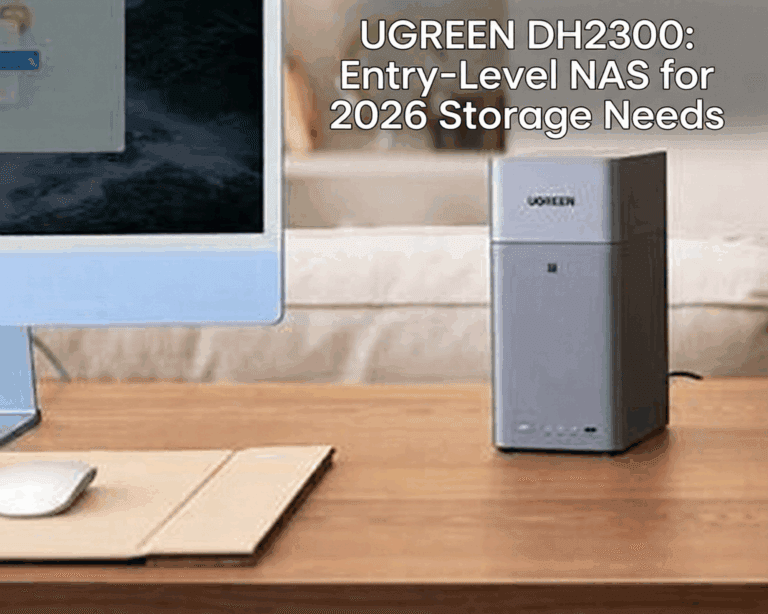
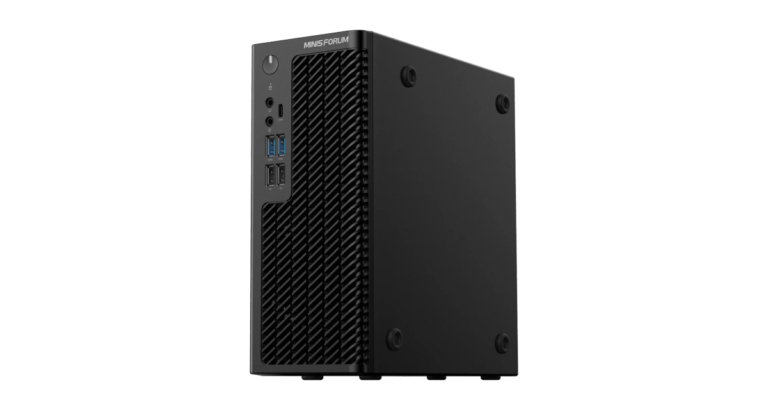
A $234 local clearance purchase puts the UGREEN DXP2800 vs Synology DS225+ comparison in perspective. UGREEN offers a newer Intel processor, more included memory and dedicated NVMe expansion. Synology answers with its established DSM software ecosystem and, with the DS225+, native 2.5GbE networking.
We found a sealed UGREEN NASync DXP2800 on a retail clearance shelf for $234.00, reduced from an in-store price of $289.00. That purchase prompted a closer look at what buyers receive from two competing two-bay NAS systems.
The comparison is with the Synology DiskStation DS225+, the successor to the DS224+. Both have two SATA drive bays, Intel x86 processors and a 2.5GbE Ethernet port. Their biggest differences lie in processing hardware, memory, storage expansion and software.
Price context: Our $234 purchase was a local clearance find. It is not a nationwide offer or the DXP2800’s standard retail price. The $289 reference was the store’s listed price, not a verified manufacturer MSRP. Both NAS units are sold diskless, so storage drives add to the total cost.
About this comparison:
This article combines our original UGREEN product photography and local clearance purchase with manufacturer specifications and published software documentation. We have not independently benchmarked the two systems or measured their transfer speeds, transcoding performance, noise, power consumption or long-term reliability.

UGREEN DXP2800 vs Synology DS225+: Hardware Specifications
The DXP2800 starts with four times as much memory and adds two M.2 SSD slots. The DS225+ provides a second Ethernet interface. Neither specification alone determines which NAS will fit a particular household or small business.
| Specification | UGREEN DXP2800 | Synology DS225+ |
|---|---|---|
| Processor | Intel N100 | Intel Celeron J4125 |
| CPU cores / threads | 4 / 4 | 4 / 4 |
| Included memory | 8GB DDR5 | 2GB DDR4 |
| Official maximum RAM | 16GB | 6GB total |
| SATA drive bays | 2 | 2 |
| Dedicated M.2 NVMe slots | 2 | None |
| Ethernet | 1 × 2.5GbE | 1 × 2.5GbE + 1 × 1GbE |
| Factory operating system | UGOS Pro | Synology DSM |
| HDMI output | Yes, up to 4K | No |
| Standard hardware warranty | 2 years | 3 years |
Sources: UGREEN product specifications, UGREEN warranty policy and Synology product specifications. Warranty eligibility depends on purchase documentation and the applicable regional terms.
Intel N100 vs Celeron J4125: The Processor Generation Gap
The DXP2800 uses Intel’s N100, a four-core Alder Lake-N processor with Gracemont Efficiency cores. Intel lists a maximum turbo frequency of 3.4 GHz and a processor base power of 6 watts.
The DS225+ uses the Celeron J4125, a four-core Gemini Lake Refresh processor launched in late 2019. Its published specifications include a 2.0 GHz base frequency, a 2.7 GHz burst frequency and a 10-watt TDP.
Those figures describe the processors. They are not measurements of total NAS power consumption, and the different power-rating terms should not be treated as a direct efficiency benchmark. Drives, cooling, power settings and workload all affect consumption at the wall.
The newer N100 architecture gives UGREEN a stronger starting point for workloads beyond basic storage, such as containers, indexing and compression. However, specifications cannot tell us how much faster either complete NAS will be in a particular application. For routine file transfers, the drives, network or client may become the limiting factor first.
Quick Sync, AV1 and 10-Bit HEVC
Intel lists UHD Graphics with 24 Execution Units and Quick Sync Video support for the N100. The J4125 also supports Quick Sync, through its older UHD Graphics 600.
AV1 decoding is the key codec difference. The N100 can decode AV1 video in hardware, while the older Gemini Lake generation lacks that capability. Both processor generations support hardware processing for 10-bit HEVC/H.265; that feature should not be presented as exclusive to the N100. The N100 can hardware-encode supported H.264 and HEVC video, but it does not offer AV1 hardware encoding. Jellyfin’s Intel documentation explains these generation-specific capabilities.
Decoding reads the source video. Encoding creates the output video. A transcoding job can require both, and may also involve audio conversion, subtitle processing or HDR tone mapping. Hardware support for one stage does not guarantee that the entire job will avoid the CPU.
Plex and Jellyfin Support Depends on the NAS Software
Working hardware transcoding requires compatible drivers, application support and access to the graphics device. Plex requires an active Plex Pass for hardware-accelerated streaming. Jellyfin offers hardware acceleration without an equivalent subscription requirement, but still needs the correct configuration.
The DS225+ deserves a specific caveat. Community documentation for Transcode for x25 describes restoring Plex or Jellyfin hardware transcoding on this model by replacing DSM graphics-driver modules. This is an unofficial workaround. The J4125’s Quick Sync capability should not be taken as a guarantee that hardware transcoding will work with the factory driver configuration.
Buyers should check their intended NAS operating-system version, media-server release and supported installation method. This comparison does not establish a tested stream count for either system.
For Direct Play, the NAS sends a file the playback device can already handle. If no conversion is needed, serving a compatible movie over the network places much less emphasis on the integrated graphics hardware.
Memory and NVMe Expansion Give UGREEN More Headroom
The DXP2800 includes 8GB of DDR5 memory and officially supports up to 16GB. The DS225+ starts with 2GB of DDR4 and supports 6GB total with an additional 4GB module.
That extra included capacity matters when applications compete for memory. Containers, photo indexing and background services can consume resources alongside file sharing. It also reduces the likelihood that a buyer will need an immediate memory upgrade, although basic household storage can be less demanding.
UGREEN’s two dedicated M.2 NVMe slots provide another distinction. Supported UGOS configurations allow SSD caching or separate SSD storage, giving buyers room for application data without occupying the two SATA bays.
The DS225+ has no dedicated M.2 slots, but it can use supported SATA SSDs in its drive bays. UGREEN’s advantage is additional NVMe expansion alongside the SATA bays, rather than exclusive access to solid-state storage.
SSD caching is workload-dependent. Frequently accessed small files and application data may benefit, while large sequential transfers may already approach the network’s capacity. A fast desktop SSD’s advertised speed is also not a promise of the speed it will achieve inside a NAS.
Storage and Memory Shopping Notes
Affiliate disclosure: InsightTechDaily may earn a commission from purchases made through the retailer links below.
These are products to evaluate against your chosen NAS’s requirements. Confirm the exact part number and supported configuration before ordering.
- SATA hard drives: Prefer drives designed for NAS workloads, and check the exact model’s recording technology and compatibility. CMR is a write-performance consideration; it does not guarantee quiet operation. For a two-drive RAID 1 mirror, recovery involves rebuilding the mirror rather than rebuilding parity. Check the Seagate IronWolf 8TB listing at Best Buy.
- NVMe SSDs: Consider endurance, cooling and sustained-write behavior as well as interface compatibility. Predator’s specification sheet rates the GM7 1TB at up to 7,200 MB/s sequential reads; its 7,400 MB/s rating applies to the 4TB model. Those are drive ratings, not DXP2800 performance results. Check the Predator GM7 1TB listing at Amazon.
- Memory: Match the module to the NAS manufacturer’s requirements and supported capacity. Confirm the exact Crucial SKU against UGREEN’s guidance rather than assuming every DDR5 SO-DIMM will work. Check the Crucial 16GB DDR5-4800 SO-DIMM listing at Best Buy.
Retailer pricing and availability can change. These links are not a claim of a current discount or manufacturer-verified compatibility for every configuration.
Both NAS Systems Have 2.5GbE, With Different Port Options
The DXP2800 has one 2.5GbE Ethernet port. The DS225+ adds a 1GbE port alongside its 2.5GbE connection. This makes the comparison more balanced than one involving Synology’s older DS224+, which used dual Gigabit Ethernet.
Gigabit Ethernet has a theoretical ceiling of 125 MB/s before overhead; 2.5GbE raises that to 312.5 MB/s. Actual file-transfer speeds will be lower and depend on the storage configuration, protocol, network and client.
To benefit from 2.5GbE, the network path must support it. A typical switched setup needs compatible NAS and client connections plus a suitable switch. A properly configured direct connection between compatible devices can also work. Synology’s second port provides another interface, but does not automatically make an individual transfer faster.
USB, HDMI and External Connections
UGREEN lists a front USB-C port and USB-A port, both rated at 10Gbps. The rear provides a 5Gbps USB-A port, two USB 2.0 ports, HDMI output and the Ethernet connection. There is no integrated SD card reader.
The DS225+ has two USB 3.2 Gen 1 ports, rated at 5Gbps, and its two Ethernet ports. It does not have HDMI output.
UGREEN’s HDMI port adds display-output hardware, but its usefulness depends on the installed software and supported applications. A physical HDMI connection alone does not establish a desktop experience or a supported local media-playback workflow.
Drive Trays and Enclosure Design
The DXP2800 has a dark gray metal exterior and two front-accessible, lockable drive trays. Synology uses a compact enclosure with tool-free tray installation for supported 3.5-inch hard drives; 2.5-inch drives require the appropriate mounting hardware.

A metal enclosure can appeal to buyers who prefer its appearance and construction. It does not establish better cooling, lower noise or greater reliability. Those questions require testing with the installed drives and operating conditions.

Synology DSM vs UGOS Pro: Match the Software to Your Workload
A NAS needs to do more than post an attractive specification sheet. Backup scheduling, recovery, permissions, updates and everyday access determine how useful it will remain after the initial setup.
Synology DSM and Its Integrated Applications
DSM’s established application ecosystem is the strongest reason to consider the DS225+. Synology Drive supports synchronization and private-cloud workflows, while Synology Photos provides photo management and backup features. Active Backup for Business offers centralized backup for supported computers, servers and virtual environments without separate per-device software licensing.
For someone who already uses those tools, staying within DSM can simplify administration and recovery planning. Check application requirements and supported features for the DS225+, especially where memory, client operating systems or optional services matter.
UGOS Pro and Home-Server Flexibility
UGOS Pro provides storage management, file sharing, user accounts and applications for home storage and media workloads. The DXP2800’s Intel platform, included memory and Docker support also make it an interesting option for running additional services.
UGREEN’s NAS software has a shorter public history than DSM. That is a reason to examine the current release closely, rather than proof that a particular feature is missing or unreliable. Buyers should check the backup destinations, mobile applications, permissions and recovery workflows they actually need.
For either platform, plan independent backups and keep the system updated. RAID redundancy is not a substitute for a backup, and remote access should use a securely managed connection rather than exposing the administration interface directly.
The DS225+ Does Not Require Synology-Branded SATA Drives Exclusively
Synology’s more restrictive 2025 drive policy attracted criticism, but it subsequently changed. The company’s DSM 7.3 announcement confirmed that 2025 DiskStation Plus models could install and create storage pools with non-validated third-party drives.
For this comparison, the relevant distinction is support for third-party SATA hard drives and 2.5-inch SATA SSDs. The DS225+ should not be described as requiring Synology-branded SATA drives exclusively. Synology still distinguishes validated drives from unlisted or incompatible models, so consult its current compatibility policy and the model-specific list.
What About TrueNAS or Unraid on the DXP2800?
The DXP2800’s Intel x86 platform may interest enthusiasts considering TrueNAS, Unraid or another server operating system. However, processor architecture alone does not establish complete compatibility.
Boot configuration, storage devices, networking, fan control and driver support all need to work with the chosen operating system and firmware. We have not installed or validated an alternative operating system on this unit for this comparison.
ITD Homelab Advisory:
Treat an alternative operating system as an advanced project. Check documentation for the exact model and firmware, preserve the factory recovery path and back up data before changing the installation. Verify the operating system’s hardware requirements, any licensing costs and the manufacturer’s applicable support terms.
Does the $234 Clearance Find Make UGREEN the Better Buy?
At the price we paid, the DXP2800 offered an appealing combination of an Intel N100, 8GB of memory and dedicated NVMe expansion. That is especially interesting for someone planning a small home server as well as network storage.
The same conclusion cannot automatically be extended to normal retail pricing. Compare current diskless prices for both models and include the drives, any memory upgrade, networking equipment and paid software you expect to use. Optional NVMe drives are another expense, not part of the $234 purchase.
For example, a two-drive RAID 1 mirror trades roughly half the combined nominal capacity for redundancy. Two equal-sized 8TB drives provide approximately one drive’s nominal capacity before formatting and system overhead. A separate backup still needs its own destination.
Choose the DXP2800 for More Hardware Headroom
- You want more included memory for containers and background services.
- You need dedicated NVMe slots without giving up the SATA bays.
- You value the newer N100 platform and its AV1 decoding capability.
- You have confirmed that UGOS Pro supports your storage and backup workflows.
- You are comfortable configuring additional applications and checking their driver requirements.
Choose the DS225+ for DSM Integration
- You rely on Synology Drive, Photos or supported backup applications.
- You value an established NAS application ecosystem.
- You want native 2.5GbE while remaining within Synology’s platform.
- Your workloads fit its memory and expansion limits.
- You have checked any media-server requirements, including the DS225+’s driver caveat.
Our Verdict
The DXP2800 has the stronger hardware specification for buyers who want a NAS to handle additional server workloads. Its newer processor, greater included memory and dedicated M.2 expansion create more options. Our $234 clearance purchase made that proposition particularly attractive.
The DS225+ remains a credible choice when DSM’s applications and storage workflows are the deciding factors. Its 2.5GbE port removes the older model’s single-port Gigabit limitation, and its additional Ethernet interface and longer standard hardware warranty also deserve consideration.
The best choice follows the applications, storage layout and recovery plan you need. This comparison establishes differences in specifications and documented capabilities; measured performance and long-term experience remain questions for testing.
Sources and Further Reading
- UGREEN NASync DXP2800 specifications and warranty policy
- Synology DiskStation DS225+ hardware and software specifications
- Synology DS225+ hardware installation guide
- Intel N100 specifications and Celeron J4125 specifications
- Jellyfin Intel graphics and hardware-acceleration documentation
- Plex hardware-accelerated streaming requirements
- Transcode for x25 community project documentation (unofficial)
- Synology DSM 7.3 announcement and drive compatibility policy
- Predator GM7 specifications by capacity