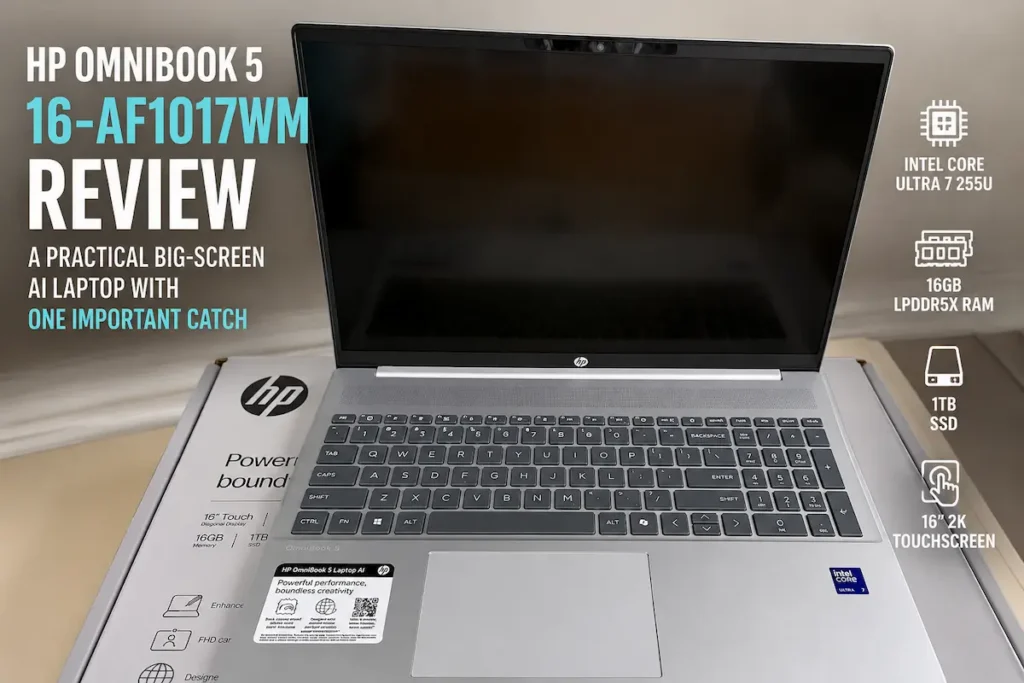
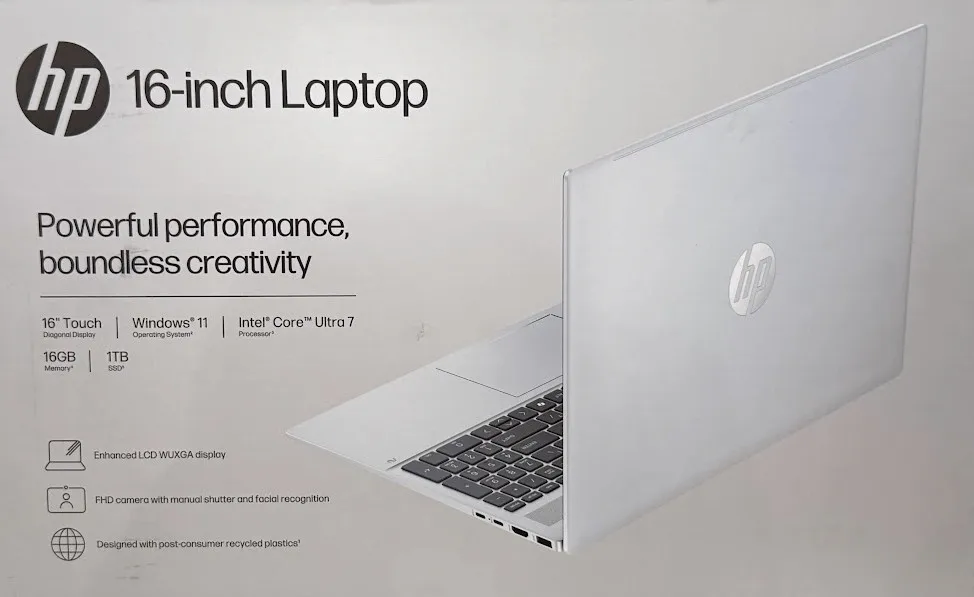
The HP OmniBook 5 Laptop AI 16-af1017wm is one of those machines that looks simple at first glance, but the details matter. On the box, it is a 16-inch Windows 11 laptop with an Intel Core Ultra 7 processor, 16GB of memory, a 1TB SSD, a touchscreen display, and HP’s modern “AI laptop” branding.
That is a strong everyday-laptop spec sheet, and while prices are always moving, this laptop usually sits in a range many mainstream buyers will at least consider. But the word AI on the laptop box still needs a little decoding.
Some AI laptops are built around high-end NPUs for next-generation local AI features. Others are more practical mainstream machines with modern processors, better cameras, and enough hardware to handle today’s AI-assisted apps without feeling outdated immediately.
The HP OmniBook 5 16-af1017wm fits into that second group. It is not a gaming laptop, not a mobile workstation, and not the kind of machine you buy to run huge local AI models. Instead, it looks like a practical big-screen Windows laptop for school, work, browsing, video calls, streaming, and general productivity.
And honestly, that may be exactly what most people actually need.
HP OmniBook 5 16-af1017wm Specs
The retail box lists the following configuration:
- Processor: Intel Core Ultra 7 255U
- Memory: 16GB onboard LPDDR5x SDRAM
- Storage: 1TB solid state drive
- Operating system: Windows 11
- Display: 16-inch 1920 x 1200 IPS LED touchscreen
- Brightness: 300 nits
- Camera: HP IR camera / FHD camera with privacy shutter and facial recognition
- Battery: 3-cell, 59Wh
- Touch support: Multitouch enabled
The biggest strength here is balance. A 16-inch display gives you a comfortable workspace. The 16GB of RAM keeps Windows 11 from feeling cramped. The 1TB SSD gives the laptop real storage breathing room. And the Core Ultra 7 chip puts it in Intel’s modern AI PC generation, even if this is still a mainstream productivity laptop first.
Design: Clean, Simple, and Very HP
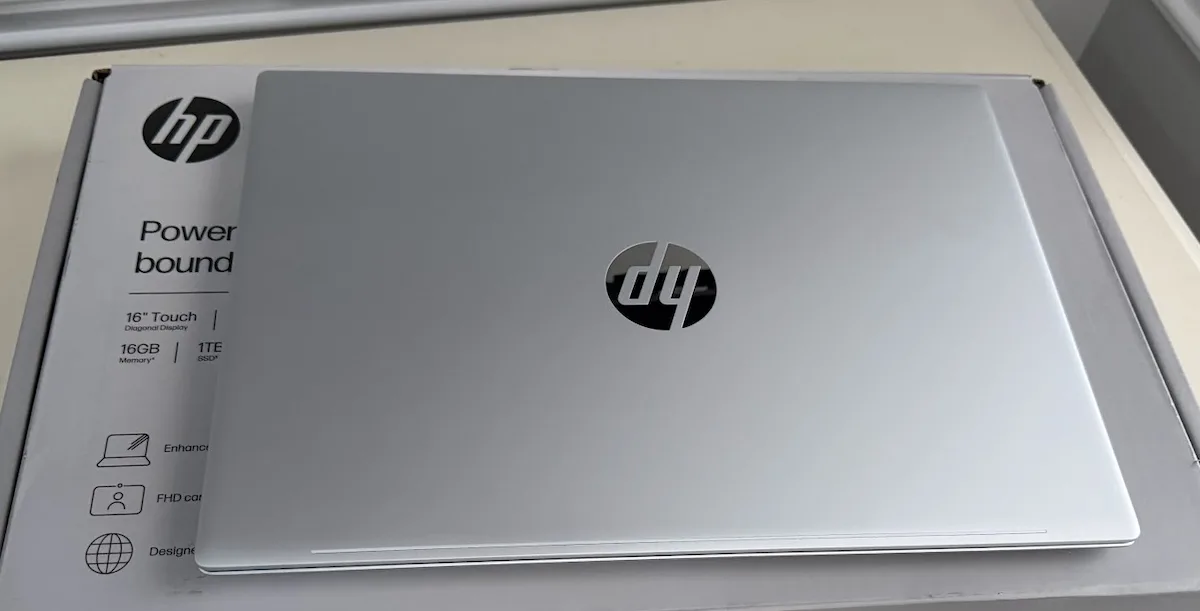
The OmniBook 5 has a clean silver design that feels very much like a mainstream HP laptop. It does not scream “gaming machine,” and it does not try to look like a luxury ultrabook either. This is a simple, modern-looking Windows laptop built for everyday use.
The silver lid, centered HP logo, and large 16-inch footprint give it a clean desk-friendly look. It feels like the kind of laptop that belongs in a home office, student setup, family room, or work-from-home space. That is not a bad thing. Not every laptop needs RGB lighting, sharp angles, or a premium metal unibody to be useful.
The size is the main thing you notice. This is a 16-inch laptop, which means it is not going to feel as compact as a 13-inch or 14-inch machine. But that larger body also allows for a roomier keyboard deck, a number pad, a larger screen, and a more desktop-like work area.
The 16-Inch Display Is the Main Attraction
The 16-inch screen is one of the best reasons to consider this model. The box lists a 1920 x 1200 IPS touchscreen with 300 nits of brightness. That means this is a 16:10 display, not the older 16:9 shape many budget laptops still use.
That extra vertical space matters more than it sounds. Web pages feel less cramped. Documents show more text before you need to scroll. Spreadsheets get a little more room. Even basic multitasking feels better on a taller display.
The touchscreen is also useful, though not everyone will use it constantly. For scrolling, tapping through Windows menus, casual browsing, signing documents, or using certain apps, touch support is a nice bonus.
The 300-nit brightness rating is fine for indoor use, but this is not a high-brightness outdoor display. It should be comfortable in a normal room, office, classroom, or living room. If you need a creator-grade panel, OLED-level contrast, or strong outdoor visibility, this is probably not the laptop class you should be shopping in.
The HP OmniBook 5 16-af1017wm should be judged as a practical big-screen Windows laptop first and an AI laptop second. The 16-inch touchscreen, 16GB of RAM, and 1TB SSD are the real everyday wins. The AI branding is useful context, but it should not be the only reason to buy it.
Keyboard, Trackpad, and Everyday Usability
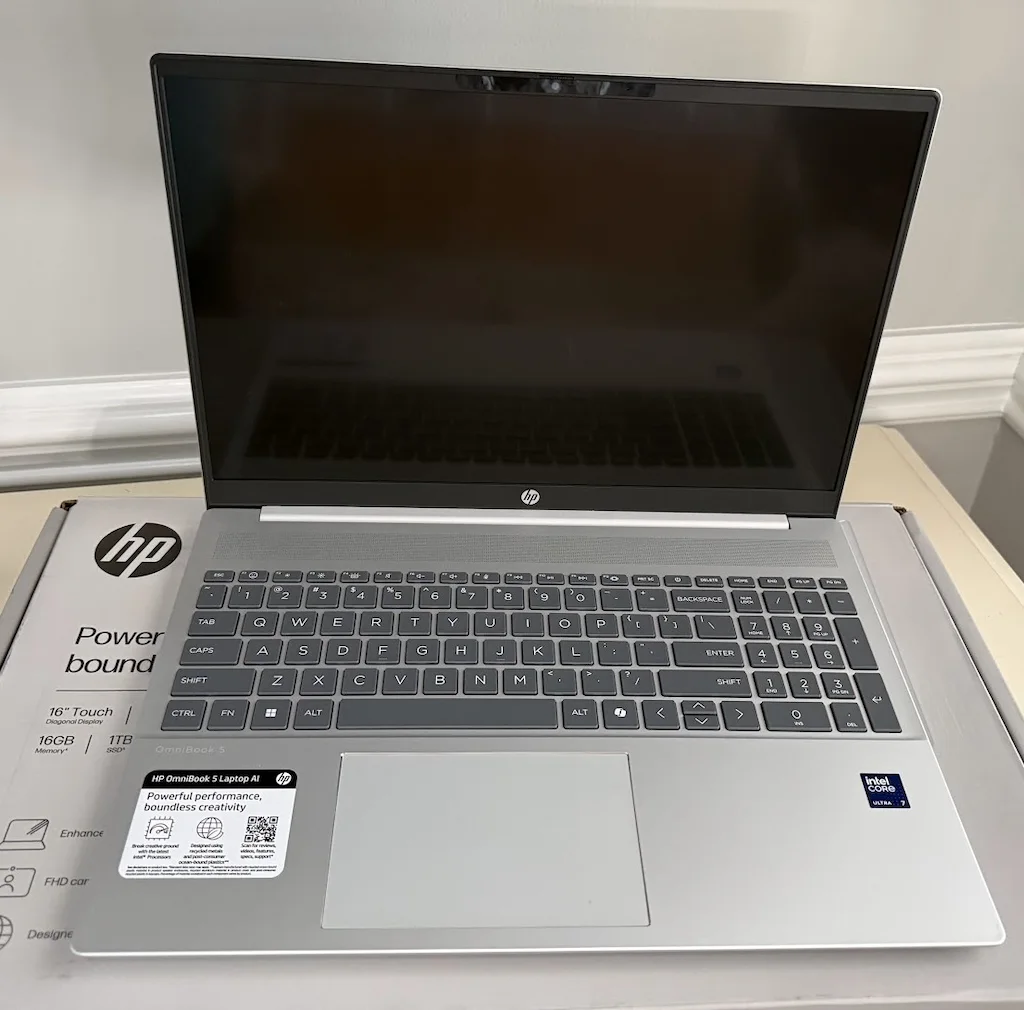
The open-laptop photo shows a full keyboard layout with a number pad, which is one of the biggest advantages of going with a 16-inch machine. If you work with spreadsheets, invoices, school platforms, data entry, budgeting, or anything number-heavy, having a dedicated number pad can be a real quality-of-life upgrade.
The keyboard deck also appears spacious, with a large centered touchpad and speaker grille above the keyboard. That layout reinforces the laptop’s main identity: this is a productivity-focused machine for people who want a larger work surface.
For writing, browsing, email, shopping, online classes, and general Windows work, this layout makes more sense than a tiny ultraportable. The tradeoff is portability. You get the big keyboard and screen, but you also get a larger laptop to carry around.
Performance: Core Ultra 7 Is More Than Enough for Everyday Work
The Intel Core Ultra 7 255U is an efficiency-focused modern laptop processor. That matters because this type of chip is built for responsive everyday use without turning the laptop into a hot, loud, battery-draining machine.
For normal daily work, this configuration should be comfortable. Web browsing, Microsoft Office, Google Docs, email, video calls, streaming, school apps, light photo editing, and general multitasking are all within the target zone for this hardware.
The 16GB of LPDDR5x memory is especially important. In 2026, 8GB Windows laptops can feel squeezed once you open a browser with multiple tabs, a video call, cloud storage sync, a few background utilities, and productivity apps. Starting with 16GB gives this laptop a much better chance of aging well.
The 1TB SSD is another major practical advantage. A lot of mainstream laptops still cut down to 512GB, which is usable but easier to fill than people expect. Between Windows updates, downloads, photos, videos, apps, games, school files, and phone backups, storage disappears quickly. A 1TB drive gives the OmniBook 5 more long-term breathing room.
What the AI Branding Actually Means
The “AI laptop” label is the part that needs the most explanation. The HP OmniBook 5 16-af1017wm uses an Intel Core Ultra processor, which includes dedicated AI acceleration through Intel’s AI Boost NPU. That means the laptop belongs to the modern AI PC generation.
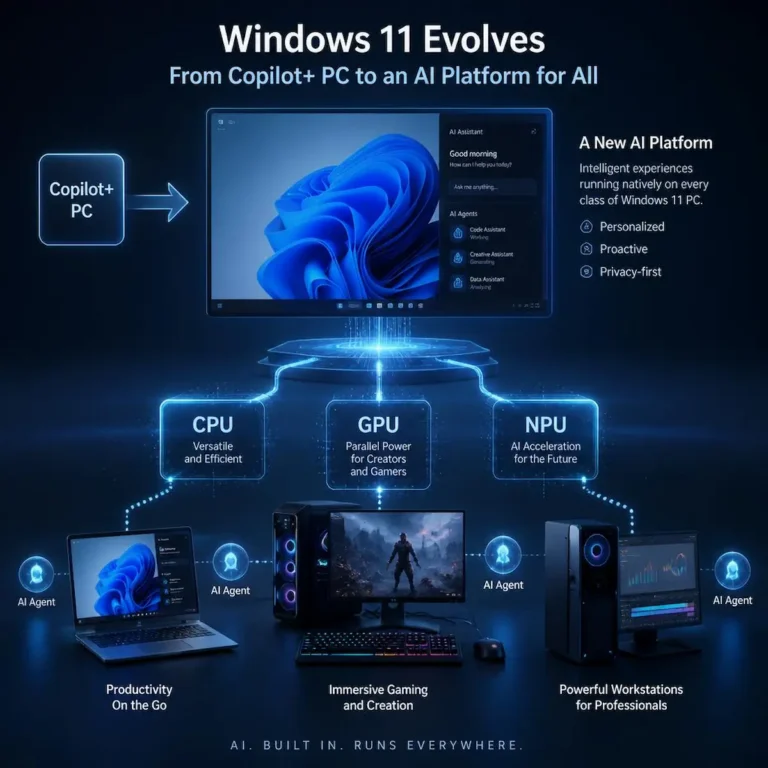
But that does not automatically mean it is the same thing as a high-end Copilot+ PC. The Core Ultra 7 255U’s NPU is not in the same class as the newer 40+ TOPS NPU systems that Microsoft has used for its more demanding Copilot+ PC features.
In plain English: this laptop can help with supported AI-enhanced features, camera effects, background tasks, and software that knows how to use Intel’s AI hardware. But it is not a machine you should buy specifically for heavy local AI workloads.
Most buyers will probably use AI through cloud-connected tools anyway. Copilot, ChatGPT, Gemini, browser assistants, Office AI tools, and web-based AI services are much more likely to matter in day-to-day use than the raw NPU rating.
So the better way to think about this laptop is simple: it is an AI-ready everyday Windows laptop, not a local AI workstation.
Battery Life: Reasonable Expectations Matter
The listed 3-cell 59Wh battery is reasonable for a 16-inch laptop. The Core Ultra 7 255U should help with efficiency, but the larger touchscreen display still has to be powered.
For light browsing, writing, school work, streaming, and email, the battery should be fine for normal unplugged use. But like any big-screen laptop, real-world battery life will depend heavily on screen brightness, video calls, browser load, background apps, and power mode.
This is probably not the laptop I would buy for someone who spends all day away from an outlet. It is better for someone who mostly uses the laptop around the house, at a desk, in class, in an office, or in a shared family space.
Webcam and Video Calls
The box mentions an FHD camera with a manual shutter and facial recognition, while the side label also points to an HP IR camera. That is a strong combination for a mainstream laptop because video calls are now a basic part of everyday computing.
The manual privacy shutter is especially welcome. It gives users a physical way to cover the camera without needing tape, stickers, or software toggles. Facial recognition also suggests Windows Hello support, which can make signing in faster and more convenient.
For students, remote workers, family calls, and online meetings, this is one of those features that sounds small but can make the laptop feel more modern every day.
Where This Laptop Makes the Most Sense
The HP OmniBook 5 16-af1017wm makes the most sense for buyers who want a big-screen Windows laptop with solid modern specs. It is not trying to be a hardcore gaming laptop or a premium creator machine. It is built around practical usability.
This is a good fit for:
- Students who want a larger screen for school work and streaming
- Home users replacing an older Windows laptop
- Remote workers who mostly use browser apps, documents, email, and video calls
- Families who want one capable shared laptop
- Buyers who want 16GB of RAM and 1TB of storage without moving into gaming laptop territory
It is not the best fit for:
- Serious PC gaming
- Heavy video editing
- Large local AI model work
- Users who need a high-end OLED or creator-grade display
- Buyers specifically shopping for a 40+ TOPS Copilot+ PC
The Value Question: Watch the Price
The HP OmniBook 5 16-af1017wm becomes much more attractive if it is priced against weaker mainstream laptops. If it is sitting near models with 8GB of RAM, 512GB of storage, older processors, or smaller displays, this configuration looks like the better long-term buy.
The 16GB RAM and 1TB SSD combination is the reason. Those are the two specs that keep a normal Windows laptop from aging badly too quickly. The processor matters, of course, but memory and storage are often what users notice first after a couple of years.
The only thing to avoid is overpaying for the AI branding. The AI label is part of the story, but it should not be the whole sales pitch. The real value is in the full package: large screen, touch support, modern Intel hardware, 16GB RAM, 1TB SSD, Windows 11, number pad, and useful webcam features.
Verdict: A Sensible Big-Screen Laptop With AI-Era Hardware
The HP OmniBook 5 16-af1017wm is a practical mainstream laptop that gets a lot of the basics right. The 16-inch touchscreen gives you a comfortable workspace, the Core Ultra 7 processor should be plenty for everyday productivity, the 16GB of RAM is the right minimum for a modern Windows machine, and the 1TB SSD gives it more storage breathing room than many cheaper laptops.
The AI branding is real, but it needs context. This is an AI-ready laptop, not a local AI powerhouse. Buyers expecting a full Copilot+ PC experience or serious on-device AI performance should look carefully at NPU requirements and higher-end configurations.
For everyone else, the OmniBook 5 16-af1017wm looks like a strong daily-driver laptop, especially if the price is right. It is the kind of machine that makes sense for school, work, home use, video calls, web browsing, streaming, and general Windows productivity.
And sometimes that is exactly what a good laptop needs to be: not flashy, not overcomplicated, just capable enough to handle real life without feeling cheap.
Final Rating
Recommended for everyday users, students, home productivity buyers, and anyone who wants a large-screen Windows laptop with modern specs.
Best for: Big-screen productivity, school work, web browsing, video calls, streaming, family use, and general Windows tasks.
Skip it if: You need gaming performance, creator-grade display quality, heavy local AI power, or full Copilot+ PC-class NPU support.
Photos in this review were taken from the retail HP OmniBook 5 16-af1017wm unit and packaging.
Related Reading
 |
Local AI Hardware Demands Surge as Chinese MoE Models Challenge U.S. Open-Weight StandardsEfficient MoE models are changing the local AI hardware conversation. For everyday users, VRAM and unified memory are becoming more important than raw benchmark speed alone. |
 |
Google Gemini and the AI Agent Ecosystem AdvantageWhy deep ecosystem integration is giving Google a massive leg up in the race to build truly autonomous, production-ready AI agents. |