The AI workstation market is entering a new phase in 2026 — one where developers can run large language models locally without expensive multi-GPU systems.
At the center of this shift is AMD’s Ryzen AI Max+ 395, part of the company’s Strix Halo architecture. Unlike traditional desktop CPUs, this chip integrates high-performance Zen CPU cores, RDNA graphics, and a dedicated AI accelerator alongside a massive 256-bit memory interface.
The result is a new generation of compact AI workstations capable of running models like Llama 3.3 70B and DeepSeek R1 locally — workloads that previously required expensive datacenter GPUs.
This emerging class of systems sits at the intersection of AI PCs and professional workstations, continuing trends explored in our analysis of the AI PC chip war and the growing importance of unified memory architectures.
The Unified Memory Advantage
The defining feature of the Strix Halo platform is its unified memory architecture.
Systems based on the Ryzen AI Max+ 395 can support up to 128GB of LPDDR5X-8000 memory. Because this memory is shared between CPU, GPU, and AI accelerators, it effectively functions as a massive pool of VRAM.
In practical terms, this allows developers to allocate up to 96GB of usable GPU memory to AI workloads.
For comparison, most consumer GPUs ship with between 12GB and 24GB of VRAM, while professional cards capable of running large language models can cost thousands of dollars.
This unified memory approach is similar to the strategy used by Apple’s silicon architecture — something we explored in detail in our breakdown of Apple vs AMD unified memory AI PCs.
With a memory bandwidth of roughly 256GB/s, Strix Halo systems can run large LLMs at conversational speeds — something previously limited to multi-GPU workstation builds.
Flagship Strix Halo Workstations Compared
| System | Power Limit | Max Memory | Storage | Networking | Unique Feature |
|---|---|---|---|---|---|
| Corsair AI Workstation 300 | 120W | 128GB LPDDR5X | Dual NVMe (up to 4TB) | 2.5G Ethernet, Wi-Fi 6E | Integrated 300W Flex ATX PSU |
| Beelink GTR9 Pro | 140W | 128GB LPDDR5X | Dual NVMe (up to 16TB) | Dual 10GbE, Wi-Fi 7 | Advanced cooling and AI microphone array |
| Minisforum MS-S1 Max | 130W | 128GB LPDDR5X | Dual NVMe + RAID (up to 16TB) | Dual 10GbE | PCIe slot and 2U rack-mount support |
| Framework Desktop | 120W | 128GB LPDDR5X | Modular NVMe support | Modular expansion (5G / 10G options) | Fully repairable expansion card ecosystem |
All four systems use the same core silicon but target very different users — from developers and researchers to infrastructure labs building small AI clusters.
The platform itself is part of AMD’s broader APU strategy explored in our coverage of Strix Halo vs Intel Panther Lake.
Four Different Approaches to AI Workstations
Corsair AI Workstation 300
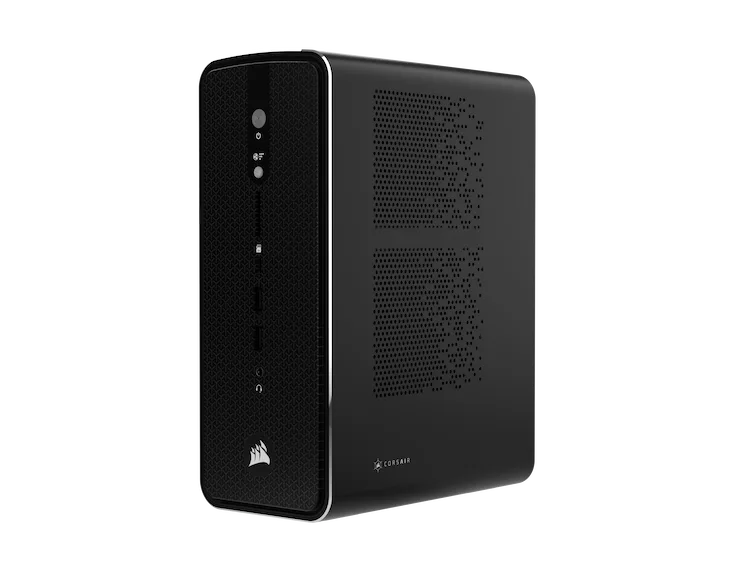
Corsair’s entry targets developers who want a quiet, turnkey AI workstation.
The standout feature is its internal 300W Flex ATX power supply, eliminating the large external power bricks common in mini-PC designs. Corsair also bundles a curated software environment intended to simplify local AI model deployment.
Beelink GTR9 Pro
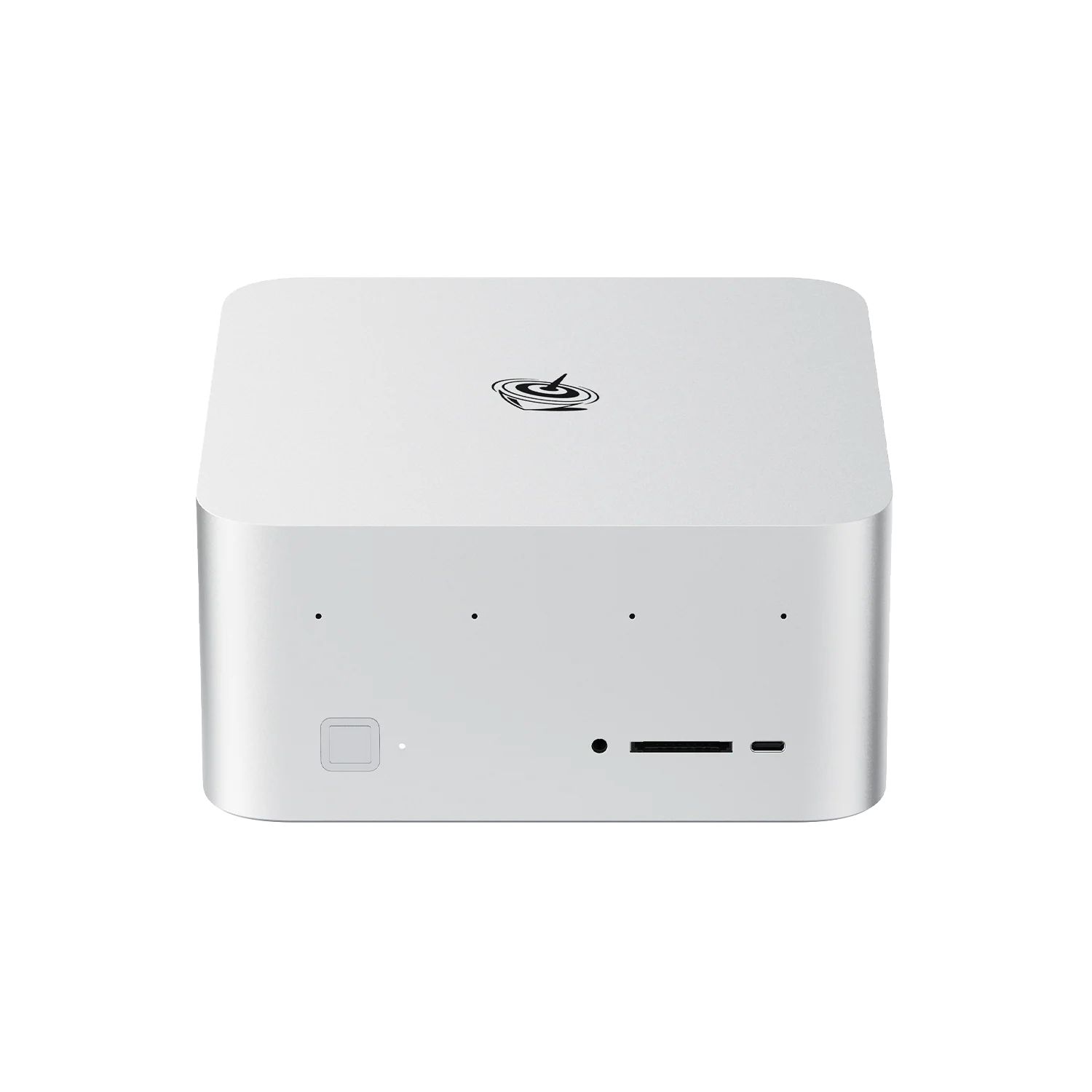
The Beelink GTR9 Pro focuses on sustained compute workloads.
Its aggressive cooling solution allows the Ryzen AI Max+ processor to run at a higher 140W power limit, maximizing performance during long inference workloads.
The system also includes an AI-focused microphone array for local voice interaction models.
Minisforum MS-S1 Max
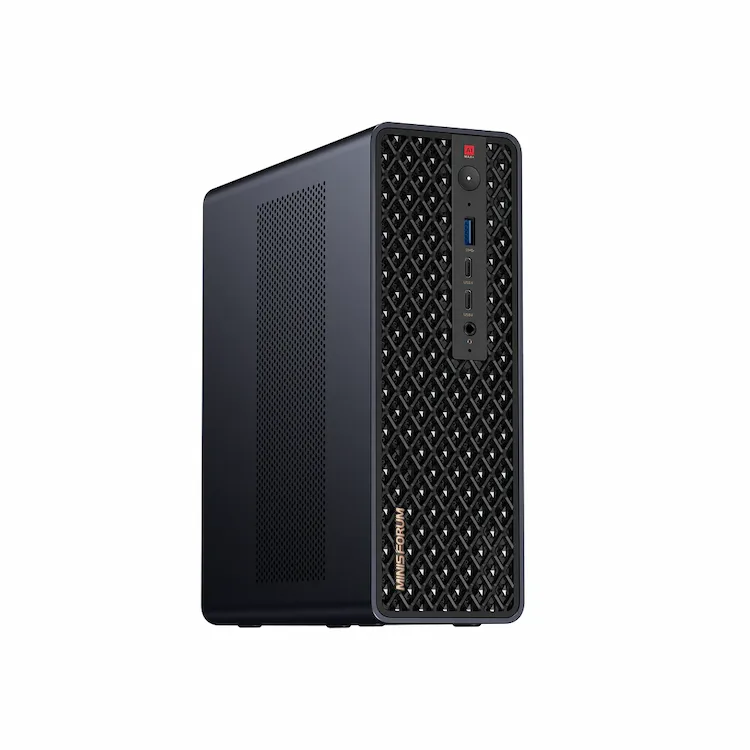
The MS-S1 Max takes a different approach by targeting AI infrastructure and lab deployments.
It includes dual 10GbE networking, RAID storage support, and a PCIe expansion slot for additional networking or storage cards. The chassis can also be mounted in a 2U rack, making it suitable for small AI clusters.
Framework Desktop
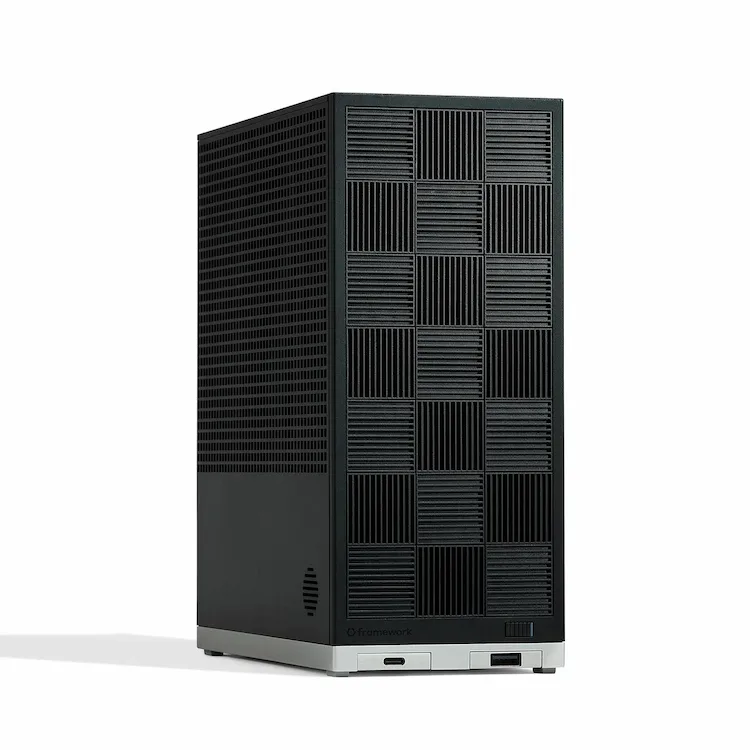
Framework brings its modular design philosophy to the AI workstation market.
The system uses the company’s expansion card ecosystem, allowing users to swap networking, I/O, and storage modules while maintaining full repairability.
Strix Halo vs RTX GPU Workstations
Modern AI development desktops now follow two different hardware philosophies.
Traditional workstations rely on discrete GPUs with dedicated VRAM, while Strix Halo systems use unified memory shared across CPU, GPU, and AI accelerators.
| Category | Strix Halo Workstations | RTX GPU Workstations |
|---|---|---|
| Memory Architecture | Unified memory shared between CPU, GPU, and NPU | Dedicated VRAM separate from system memory |
| Maximum Model Size | Up to ~96GB GPU-accessible memory | Limited by GPU VRAM (typically 12–24GB) |
| Compute Performance | Integrated RDNA GPU + AI accelerator | High-parallel CUDA compute |
| Scalability | Single-chip architecture | Multi-GPU scaling possible |
| Typical Cost | $2,200–$3,300 | $3,000–$8,000+ for AI-capable systems |
| Best Use Case | Local LLM experimentation | Training and large-scale inference |
In practical terms, unified-memory systems excel when AI workloads require large model capacity rather than maximum GPU compute.
RTX systems still dominate in CUDA-accelerated training tasks, but Strix Halo systems offer a far lower cost entry point for local AI development.
A New Category Between PCs and Servers
While these machines range from roughly $2,200 to $3,300, their value proposition differs from traditional desktops.
For AI workloads that depend heavily on memory capacity and bandwidth rather than pure GPU compute, unified-memory systems can outperform much more expensive traditional builds.
Running a 70-billion-parameter language model locally once required thousands of dollars in discrete GPUs. With the Strix Halo architecture, developers can now experiment with these models on a compact workstation.
If the trend continues, the Strix Halo generation may mark the moment when local AI development becomes accessible without datacenter hardware.