
The era of paying absurd crisis-era prices for a basic gaming graphics card has been fading, but building a great gaming PC in 2026 still requires a smart, up-to-date strategy.
The Gaming PC Market Is Better, But Not Simple
Gaming PC buyers are arguably in a healthier place than they were during the worst years of GPU shortages, crypto demand, and pandemic-era supply chaos. You can once again build or buy a capable gaming system without treating the graphics card like a luxury collectible.
That does not mean the market has magically become cheap. The pressure has simply moved. Instead of empty shelves and outrageous markups across the board, buyers now face a more complicated mix of current GPU architectures, high VRAM requirements, sophisticated AI upscaling features, and a massive price-to-performance gap between smart mid-range builds and hyper-expensive flagship systems.
In other words, the gaming PC is not dead. The bad build is dead. Or at least, it should be.
The Mid-Range Sweet Spot Has Moved Up
A few years ago, a $300 graphics card was the comfortable middle of the gaming market. Today, that budget often lands closer to entry-level or value 1080p territory, depending on the card, the sale, and the amount of video memory included.
For many buyers, the real “do-it-all” zone now lives closer to the $350 to $550 range. That is where you start seeing GPUs that can handle high-refresh 1080p, strong 1440p gaming, and enough headroom for modern engines that are increasingly hungry for VRAM and memory bandwidth.
This is the first major rule of a 2026 gaming PC build: do not build the system around an old idea of what mid-range used to mean. Build it around the resolution you actually plan to play at.
- 1080p gaming: Still the mainstream standard and the easiest target for budget-friendly builds.
- 1440p gaming: The current enthusiast sweet spot for image quality, high refresh rates, and optimal GPU cost.
- 4K gaming: Still incredibly expensive if you want ultra settings and native ray tracing without leaning heavily on performance reconstruction.
The best value is usually not the cheapest GPU on the shelf. It is the card that gives you enough performance and memory to avoid feeling outdated one year later.
VRAM Is No Longer a Spec Sheet Afterthought
For years, gamers could mostly treat VRAM as a secondary detail. If the GPU core was fast enough, the memory usually took care of itself. That is less true now.
Modern games are heavier, texture packs are larger, ray tracing dramatically increases memory pressure, and AI-assisted rendering features add another layer of complexity. An 8GB graphics card can still make sense for a budget 1080p system, but it is a flat-out mistake for a new 1440p-focused build.
For buyers who want a system to last, 12GB must be treated as the absolute baseline floor for serious 1440p gaming, while 16GB is increasingly attractive if the price gap is reasonable. This does not mean every gamer needs a massive 24GB frame buffer; it means buyers should stop ignoring memory capacity when two cards are otherwise close in performance benchmarks.
The mistake is not buying an 8GB GPU if your budget demands it. The mistake is buying an 8GB GPU at a price point where a stronger 12GB or 16GB option is sitting one shelf over. In 2026, VRAM is the primary indicator of a card’s useful lifespan.
Efficiency Matters More Than Ever
The old enthusiast mindset was simple: more watts, more frames. That still works at the extreme high end, but it is no longer the smartest way to think about a normal gaming PC.
Modern CPUs and GPUs are increasingly judged by performance-per-watt, not just maximum boost clocks. A system that delivers excellent 1440p performance while staying cool and quiet is often a better daily machine than a louder, hotter box that wins a few synthetic charts.
Efficiency matters for practical reasons:
- Lower heat output keeps fan noise down and makes the system more comfortable in a small room or shared space.
- Lower power draw reduces the need for an oversized, expensive power supply.
- Cooler components sustain their peak boost clocks longer without thermal throttling or sounding like a leaf blower.
- Better thermals make sleek, compact Small Form Factor (SFF) builds realistic for everyday users.
This is also where pre-built systems vary wildly. Two PCs with the same GPU on the sticker can feel very different if one has better case airflow, a premium power supply, and a quieter cooling loop.
The CPU Choice: Do Not Overspend for Frames You Will Never See
The GPU still does the heavy lifting in most gaming builds, but the CPU matters more than it used to. Open-world games, simulation-heavy titles, competitive shooters, background apps, Discord, and streaming software all add up.
That does not mean every gamer needs a flagship processor. In fact, many buyers are better served by a strong modern mid-range CPU paired with a better GPU. AMD and Intel both have good mid-range options, though AMD’s current socket longevity (AM5) gives it a distinct advantage for future upgradability.
A smart gaming CPU choice boils down to your primary use case:
- For Pure Gaming: AMD’s specialized 3D V-Cache (X3D) processors hold a commanding lead in gaming efficiency and frame times.
- For All-Purpose Productivity: Intel’s architecture provides excellent multi-threaded performance for video editing and content creation, though it tends to pull more power under heavy loads.
If you are building for 1440p or 4K, it usually makes more sense to avoid overspending on a flagship CPU and move that extra cash directly into the GPU budget. Keep your build balanced.
DDR5 Is the Default, But Do Not Chase Silly RAM Kits
DDR5 has become the undisputed default choice for new mainstream gaming builds. The good news is that prices have fully stabilized, meaning buyers no longer need to treat DDR5 like an exotic, early-adopter upgrade.
For most gamers, 32GB is the new comfortable sweet spot. A 16GB system can still run games, but it leaves very little breathing room for modern titles, background operating system tasks, browser tabs, and game launchers.
The key is not to overbuy. Extremely expensive, aggressively overclocked memory kits rarely deliver a noticeable real-world gaming improvement over a standard, well-optimized kit. Spend that extra money on a better GPU, a higher-quality power supply, or more NVMe storage.
For a practical 2026 build, the formula is simple: buy a reliable 32GB DDR5 kit at a sensible speed for your platform (like DDR5-6000 CL30), enable the proper memory profile (XMP or EXPO) in the BIOS, and move on with your life.
Storage: Gen4 NVMe Is Still the Smart Gaming Pick
Gen5 NVMe drives look incredible on spec sheets. The sequential read numbers are massive, the marketing is loud, and the benchmark screenshots are impressive. But for gaming, the real-world difference is almost entirely unnoticeable.
Most modern games already load lightning-fast from a high-quality Gen4 NVMe SSD. Moving to Gen5 can improve professional, massive file transfers, but game loading is usually bottlenecked by the game engine, asset decompression, or shader compilation rather than pure drive speed.
That makes storage one of the easiest places to save money without sacrificing performance. A reliable 2TB Gen4 NVMe drive is a far better gaming purchase than a smaller or much more expensive Gen5 model. Every gamer knows the pain of having to redownload games due to storage constraints, beat this problem in the beginning if you can afford it.
- 1TB: Acceptable for ultra-budget builds, but fills up after just a few modern AAA installs.
- 2TB: The current sweet spot for price-per-gigabyte and library capacity.
- 4TB: Useful for massive Steam libraries, extensive mod setups, and content creators.
- Gen5: A luxury feature that rarely translates to faster real-world loading screens.
Ray Tracing Is Real Now, But It Is Still Not Free
Ray tracing has finally moved beyond the “turn it on for screenshots, turn it off to play” stage. In the right games, it can produce incredibly realistic lighting, reflections, shadows, and global illumination. It genuinely changes the atmosphere of modern titles.
But ray tracing is still incredibly resource-intensive. The gap in performance between GPU vendors remains significant. If ray tracing is a absolute must-have feature for you, NVIDIA still holds a strong architectural and software lead. AMD has made notable generation-over-generation strides, but you should look at performance metrics for the specific games you play before assuming all cards handle ray tracing equally.
AI Upscaling and Frame Gen Are No Longer Optional
Upscaling used to feel like a visual compromise. Today, it is part of the core rendering pipeline. Modern games are explicitly designed around it.
Advanced feature sets like NVIDIA DLSS 4 and AMD FSR 4 are central to how modern GPUs stretch performance, especially at 1440p and 4K. Instead of forcing native rendering on every pixel, these technologies render at a lower internal resolution and reconstruct the final image using dedicated AI hardware or highly optimized algorithms. When done well, the result can actually look cleaner and more stable than a game’s native anti-aliasing.
AI Frame Generation adds another layer of smoothness by inserting entirely generated frames between traditionally rendered ones. It works wonders when your baseline frame rate is already healthy. However, it is not magic—it cannot fix bad input latency, and it should never be used as a justification to buy a underpowered GPU that struggles to run the game natively.
Pre-Built vs. DIY: The Gap Has Closed, But Read the Fine Print
For years, building your own gaming PC was the only logical way to get real value. DIY still has major advantages and the only compromises are the ones you choose to make, but the pre-built market can bring good value and it has improved enough that the answer is no longer automatic.
Large system integrators buy components in massive bulk, allowing them to occasionally sell pre-built machines during major sales at prices an individual buyer cannot match. However, the danger with pre-builts is rarely the headline GPU or CPU spec; it is the parts hiding behind the sticker.
Before buying a pre-built gaming PC, always verify:
- The exact GPU model: Not just the general family name (ensure it isn’t a single-fan, poorly cooled variant).
- The power supply (PSU): Ensure it features a reputable brand name and an 80-Plus efficiency rating, rather than a generic “grey box.”
- The motherboard chipset: Make sure it allows for a real future upgrade path.
- The RAM configuration: Verify it uses a dual-channel kit (two sticks) rather than a single choked stick of memory.
- Case airflow: Avoid completely sealed glass boxes that will choke powerful components.
The Monitor Should Drive the Build
One of the most common mistakes in PC buying is choosing the tower first and the monitor second. That is entirely backwards.
Your monitor determines what the PC actually needs to do. A 1080p 165Hz display, a 1440p ultrawide, and a 4K OLED are completely different performance targets. Buying too little GPU for a high-end monitor leads to stuttering frustration; buying too much GPU for a basic monitor completely wastes your money.
For most gamers, 1440p remains the absolute gold standard balance. It looks vastly sharper than 1080p, does not punish the graphics card as brutally as 4K, and pairs beautifully with high-refresh displays that have become incredibly affordable.
Where to Spend and Where to Save
A perfectly balanced gaming PC is all about allocating your budget where it actually impacts your eyes and ears every single day.
Spend More On:
- The GPU: The heart of your gaming experience, especially at 1440p and beyond.
- A Premium Power Supply: System stability and safety are never worth sacrificing for a twenty-dollar savings.
- A Great Monitor: This is the literal window to your games; don’t pair a great PC with a terrible panel.
- Case Airflow: High-quality fans and mesh panels keep your components running at maximum boost speeds while staying quiet.
Save Money On:
- High-End Motherboards: Unless you need specific pro-audio ports or heavy expansion slots, a mid-range board performs identically.
- Flagship CPUs: Avoid overspending on the highest-tier processors if you are playing at 1440p or 4K where the GPU does the heavy lifting.
- Gen5 SSDs: Stick with reliable, high-capacity Gen4 drives for pure gaming.
- Excessive RGB Aesthetics: Unless styling is a massive priority for you, skipping premium RGB fans can free up enough cash to jump up an entire GPU tier.
The best gaming PC in 2026 is not the one with the most expensive parts. It is the one matched properly to your monitor, your favorite games, and your personal upgrade timeline. Spend on a strong GPU with plenty of VRAM, stick with sensible DDR5 and Gen4 NVMe storage, and don’t let marketing convince you that every single component needs to be extreme.
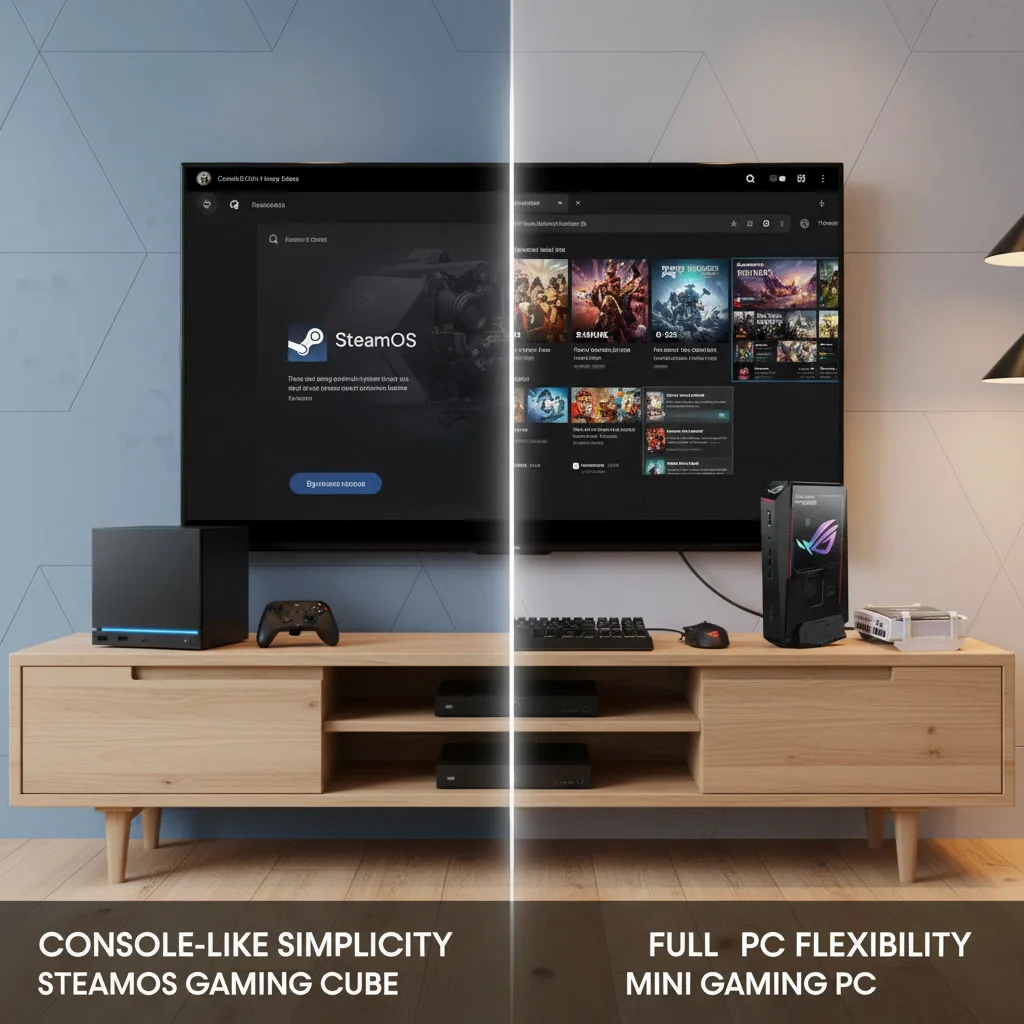 |
Steam Machine vs Windows Mini Gaming PC: Which Living Room Box Makes More Sense?Valve’s Steam Machine idea still has appeal, but compact Windows gaming PCs now offer serious competition for players who want a console-like setup with more flexibility. |
 |
Switch 2 Ports Confirmed After Nintendo Direct: Why Third-Party Support MattersNintendo’s June 2026 Direct helped clarify the Switch 2 launch window, confirming more third-party ports and showing why stronger hardware support could reshape Nintendo’s next console cycle. |