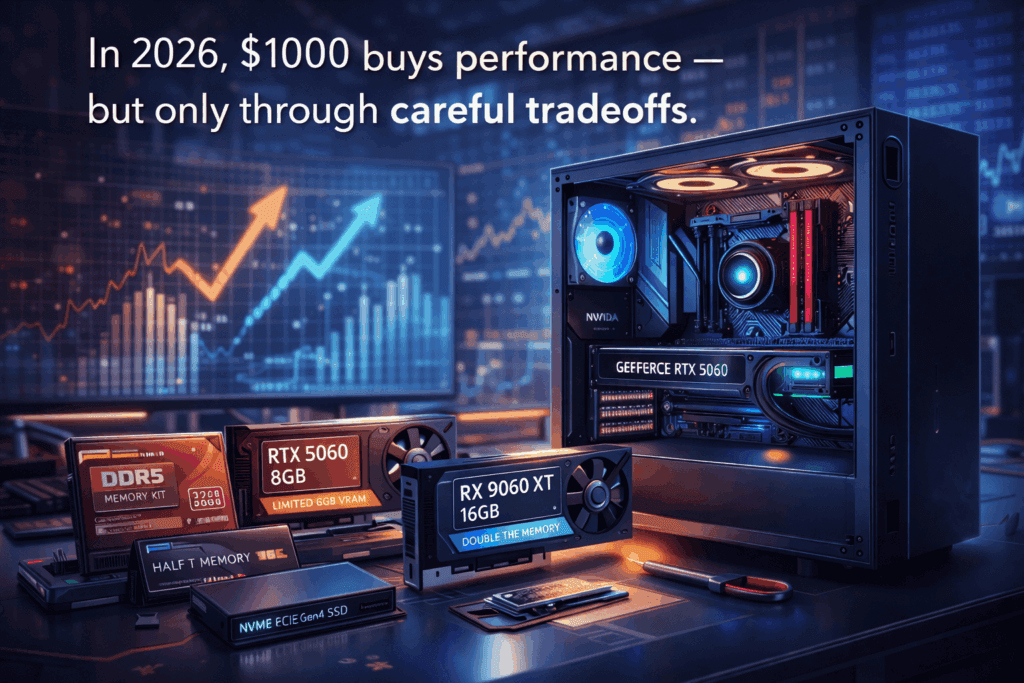

What Does $1000 Actually Get You in the 2026 PC Market?
For years, $1000 was the sweet spot for PC builders. It delivered smooth gaming, strong productivity, and enough headroom to feel future-proof. In 2026, that familiar benchmark has quietly broken.
Exploding DDR5 memory prices, persistent GPU supply pressure, and AI-driven manufacturing demand have fundamentally reshaped what $1000 can realistically buy. Today, building a PC at this budget is no longer about maximizing specs — it’s about managing tradeoffs.
This guide breaks down what $1000 actually gets you in today’s PC market, where compromises are unavoidable, and why many builders are now rethinking the entire budget category.
The $1000 Problem: Why Budgets Don’t Stretch Like They Used To
PC hardware pricing has entered a new structural phase. Massive investments in AI infrastructure are consuming unprecedented volumes of:
- DDR5 system memory
- High-performance NAND flash
- Advanced semiconductor manufacturing capacity
Enterprise buyers now command priority access to memory and fabrication capacity, effectively imposing what many builders are calling a “memory tax” on consumer PCs.
The result is simple: components that once represented modest portions of a build budget — particularly RAM and SSDs — now consume dramatically larger shares of total system cost.
The 2026 “Memory Tax”: When RAM Eats the Budget
Perhaps the most dramatic shift in 2026 PC building is DDR5 pricing.
Just a year ago, a 32GB DDR5 kit routinely sold for under $120. Today, mainstream 32GB DDR5-5600 and DDR5-6000 kits typically land between:
$330 – $450
That means memory alone can now consume 30–45% of a $1000 PC budget.
This pricing pressure has forced builders into uncomfortable compromises:
- Dropping to 16GB (hurting long-term viability)
- Accepting slower memory speeds
- Waiting indefinitely for price relief that may never arrive
DDR5 has effectively become a budget gatekeeper — and it’s the single largest reason why traditional $1000 builds no longer behave the way they used to.
What $1000 Actually Buys You Today
Here is a realistic breakdown of a balanced $1000-class PC in early 2026, based on current retail pricing:
| Component | Target Tier | Typical Price |
|---|---|---|
| CPU | Ryzen 5 9600X / Core Ultra 5 245K class | $190 – $230 |
| Motherboard | B650 / B760 midrange | $120 – $150 |
| Memory | 32GB DDR5-5600 / 6000 | $330 – $450 |
| Graphics Card | RTX 5060 8GB / RX 9060 XT 16GB class | $330 – $420 |
| Storage | 1TB PCIe Gen4 NVMe | $120 – $180 |
| Power Supply | 650–750W Gold | $80 – $110 |
| Case | Airflow-focused mid tower | $65 – $95 |
Realistic Total: $1,150 – $1,300
This reveals the new reality: a properly balanced modern PC no longer fits cleanly into a $1000 budget without major compromises.
The GPU Tradeoff: Why 8GB VRAM Is Still Happening
The RTX 5060 8GB perfectly illustrates the modern budget dilemma.
On one hand, it offers:
- Excellent 1080p gaming performance
- DLSS 4 and advanced frame generation
- Modern ray tracing support
On the other hand, the 8GB VRAM ceiling is increasingly restrictive in modern titles, particularly at 1440p resolutions and high texture settings.
This forces builders into another strategic compromise:
- Nvidia route: RTX 5060 8GB — superior AI features, limited VRAM
- AMD route: RX 9060 XT 16GB — double the memory, weaker upscaling ecosystem
In practice, many builders are now prioritizing VRAM capacity over raw GPU architecture, a dramatic shift from traditional buying logic.
Why $1200 Has Become the New “Sweet Spot”
Adding just $150–$250 fundamentally changes the quality of a modern PC build.
At roughly $1200, builders can:
- Secure 32GB of DDR5 without compromise
- Move into 16GB VRAM GPU territory
- Maintain balanced CPU and platform longevity
In effect, $1200 now delivers what $1000 used to.
This pricing shift explains why many enthusiasts increasingly view $1000 builds as transitional systems rather than long-term investments.

Prebuilt vs DIY: When Does Buying Prebuilt Actually Make Sense?
For decades, building your own PC was the unquestioned value choice. In 2026, that assumption is under increasing pressure — but not consistently, and not permanently.
Prebuilt pricing now fluctuates dramatically depending on seasonal sales, inventory cycles, and promotional events. Outside of major discounts, prebuilts often carry noticeable premiums. However, when caught on aggressive sales, prebuilts can temporarily flip the value equation.
Large OEMs still benefit from structural advantages, including:
- Bulk component purchasing
- Direct manufacturer relationships
- Preferential memory allocation
During major sale windows, these advantages sometimes allow $1000–$1100 prebuilts to include configurations such as:
- RTX 5060-class GPUs
- 32GB DDR5 memory
- 1TB Gen4 NVMe storage
Replicating those same specifications through DIY sourcing during non-sale periods can often cost $150–$250 more, especially when memory pricing spikes.
The key distinction is timing. Outside of promotional events, building your own system still offers better control, higher-quality component selection, and stronger long-term value. But during aggressive retail sales, prebuilts can briefly become the smarter financial choice.
In 2026, savvy buyers increasingly monitor both markets, treating prebuilts as opportunistic purchases rather than default solutions.
Final Thoughts: The New Reality of Budget PC Building
In 2026, $1000 no longer represents a comfortable performance tier — it represents a constraint-driven design challenge.
Builders can still assemble excellent systems at this price point, but only through:
- Careful timing
- Strategic compromises
- Clear expectations
Between the rise of the memory tax, GPU VRAM limitations, and enterprise-driven supply pressure, the economics of PC building have fundamentally shifted.
The new question is no longer “What can I build for $1000?” — it’s “What am I willing to sacrifice to stay there?”
Related InsightTechDaily Coverage: