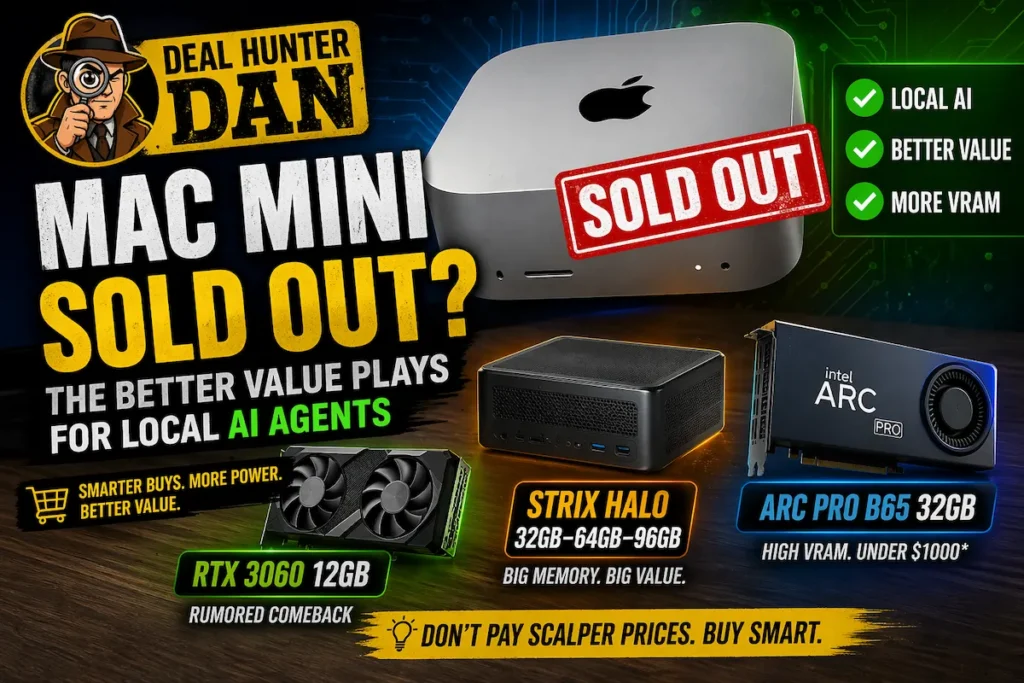
Mac mini demand has taken an unexpected turn in 2026. What used to be one of the easiest recommendations in tech—a small, efficient desktop with predictable pricing—is now caught in a supply squeeze, with some configurations selling out and showing up on the resale market at inflated prices.
The reason is not just normal Apple demand. It is the rise of local AI workloads. As tools like OpenClaw-style agents and NVIDIA Nemo frameworks push more users toward always-on, local AI systems, compact desktops like the Mac mini have become part of the conversation.
That is exactly where Deal Hunter Dan steps in.
The Mac mini is still a great machine. But when availability drops and prices rise, the question changes from “Is this good?” to “Is this still the best value?”
The Mac mini shortage is exactly the type of scenario where it pays to slow down. Local AI demand is now influencing real-world pricing, availability, and buying behavior across the entire PC market.
Why Local AI Agents Are Changing the Buying Equation
Local AI agents are not just chatbots. They are systems that can plan tasks, call tools, manage files, write code, and operate continuously in the background. That shift is important, because it changes what actually matters in a system.
For many users, this is where AI finally feels useful—not just something to try, but something that can assist with daily workflows and ongoing tasks.
Instead of focusing only on raw CPU or GPU performance, buyers now need a more balanced system:
- Enough memory (RAM or unified memory)
- Storage for models and data
- CPU performance for orchestration
- GPU or AI acceleration for local inference
This is why compact systems like the Mac mini gained attention. But once pricing moves above retail, the value equation changes quickly.
Deal Hunter Dan’s Rule: Don’t Buy Into Shortages
If a system is sold out and being resold at a markup, you are no longer buying value—you are buying urgency.
Dan’s rule is simple: follow the capability per dollar, not the hype cycle.
Right now, that means looking at three smarter tiers of local AI hardware.
Tier 1: Budget Local AI Starter (Mini PC + High RAM)
Best for: learning agent frameworks, automation, and lightweight local AI workflows.
A well-configured mini PC with a modern CPU and 32GB of RAM can handle a surprising amount of local AI orchestration. These systems are widely available, efficient, and far easier to find than a sold-out Mac mini.
Dan’s target:
- Ryzen 5 / Ryzen 7 or Core i5 / i7
- 32GB RAM minimum
- 1TB NVMe SSD
Dan’s take: If you’re just getting started, don’t overpay. For most users, the real power is in the workflow—not the size of the model.
Tier 2: The RTX 3060 Sweet Spot (Still One of the Smartest Buys)
Best for: users who want local models, GPU acceleration, and real flexibility.
This is where the market gets interesting. The RTX 3060 12GB has quietly become one of the most practical GPUs for local AI workloads—not because it is new, but because it has the one thing that still matters most: VRAM.
In a market where many newer entry-level GPUs are still limited to 8GB, the 3060’s 12GB configuration gives it a real advantage for running local models, handling larger context sizes, and avoiding constant memory constraints.
There are also multiple reports suggesting NVIDIA may bring the RTX 3060 12GB back into production. While not officially confirmed, the reasoning aligns with current market conditions: memory capacity has become a key bottleneck for AI workloads, and older designs with higher VRAM are suddenly more useful again.
At the same time, RTX 4000-series cards sit in an awkward position. They are harder to find at strong discounts and often do not offer enough VRAM to justify their cost for AI-focused builds.
RTX 5000-series GPUs exist, but pricing and availability remain heavily influenced by AI demand, making them difficult to treat as “value” options right now.
One additional advantage of the RTX 3060 is flexibility. In larger desktop systems with sufficient power and PCIe lanes, it is possible to run multiple GPUs. While VRAM does not combine into a single shared pool, multi-GPU setups can still be useful for running separate models, distributing workloads, or expanding total available compute for more advanced users.
Dan’s target:
- RTX 3060 12GB (used or discounted)
- 32GB–64GB system RAM
- Modern 6–8 core CPU
For local AI workloads, VRAM capacity often matters more than generation. A 12GB GPU from a previous generation can be more useful than a newer card limited to 8GB.
Dan’s take: The RTX 3060 is not just “old hardware”—it is becoming relevant again. In a market shaped by memory constraints and rising GPU costs, it remains one of the most practical entry points into real local AI work.
Tier 3: AI-First Systems (Strix Halo, High-VRAM GPUs, and Emerging Workstation Value)
Best for: serious local AI users, developers, and long-term setups.
This is where the market is starting to shift in a meaningful way—and where traditional “buy the fastest GPU you can afford” advice starts to break down.
For years, this tier was dominated by high-end GPUs like the RTX 3090, 4090, and now 5000-series cards. These are still extremely powerful, especially for CUDA-based workloads and heavy inference. But they are also expensive, harder to find, and increasingly limited by VRAM relative to their cost.
That limitation is becoming more visible as local AI workloads evolve.
Path 1: Traditional High-End GPU Workstations
High-end NVIDIA GPUs still deliver the best raw performance and software support, particularly for CUDA-heavy workflows and mature AI pipelines.
But from a value perspective, things have shifted. Paying premium pricing for 16GB–24GB of VRAM is becoming harder to justify when memory capacity is often the limiting factor in real-world AI use.
Path 2: Memory-First Systems (Strix Halo)
AMD’s Strix Halo systems take a different approach. Instead of focusing purely on GPU horsepower, they prioritize large unified memory pools—commonly 32GB, 64GB, and higher in premium configurations.
This allows more of the workload to stay in accessible memory, which can be a major advantage for larger models, longer context windows, and multi-step agent workflows.
Strix Halo systems highlight a broader shift in AI hardware: total accessible memory is becoming just as important as raw GPU performance for many local workloads.
For users who want a compact system that can handle memory-heavy AI tasks without stepping into high-end GPU pricing, this is one of the most interesting emerging options.
Path 3: High-VRAM Workstation GPUs (The Battlemage Wildcard)
There is also a third path that is starting to gain attention: workstation-class GPUs with significantly more VRAM.
Cards like Intel’s Arc Pro B65, based on the newer Xe2 “Battlemage” architecture, are particularly interesting because they focus on memory capacity over pure gaming performance. With 32GB of ECC VRAM and pricing reported under the $1,000 range, they are already putting pressure on the used RTX 3090 market.
InsightTechDaily recently explored this in detail in
this breakdown of the Arc Pro B65 and its impact on local AI performance, where higher VRAM capacity opens the door to running larger models on a single system.
That said, there is a trade-off. Software support for Intel’s newer architecture is still developing, and many AI frameworks remain more mature on CUDA-based systems. For some workloads, that can limit performance or compatibility compared to NVIDIA GPUs.
The Arc Pro B65 shows where the market may be heading: more VRAM at lower price points. But today, buyers still need to balance memory capacity against software maturity.
Dan’s breakdown:
- High-End GPU Workstations: Best for CUDA acceleration, maximum performance, and established AI pipelines
- Strix Halo Systems: Best for compact builds and memory-heavy workflows
- High-VRAM Workstation GPUs: Best for larger models and memory-driven workloads, with some software trade-offs
Dan’s take: The smartest move in this tier is no longer just “buy the fastest GPU.” It is choosing the system that gives you the most usable memory and flexibility for your workload. In 2026, that is increasingly where the real value is.
Where the Mac Mini Still Wins
To be clear, the Mac mini is still an excellent system when priced normally.
- Extremely efficient
- Quiet and compact
- Strong performance per watt
- Unified memory advantages
If you can buy it at retail pricing, it is still a solid local AI machine.
The problem is the markup.
Where Alternatives Win
PC-based systems win on flexibility.
- Upgradeable memory
- Expandable storage
- GPU choice and scaling
- Better support for experimental AI stacks
This matters because local AI is evolving quickly. Locking into a fixed system during a shortage is rarely the best long-term move.